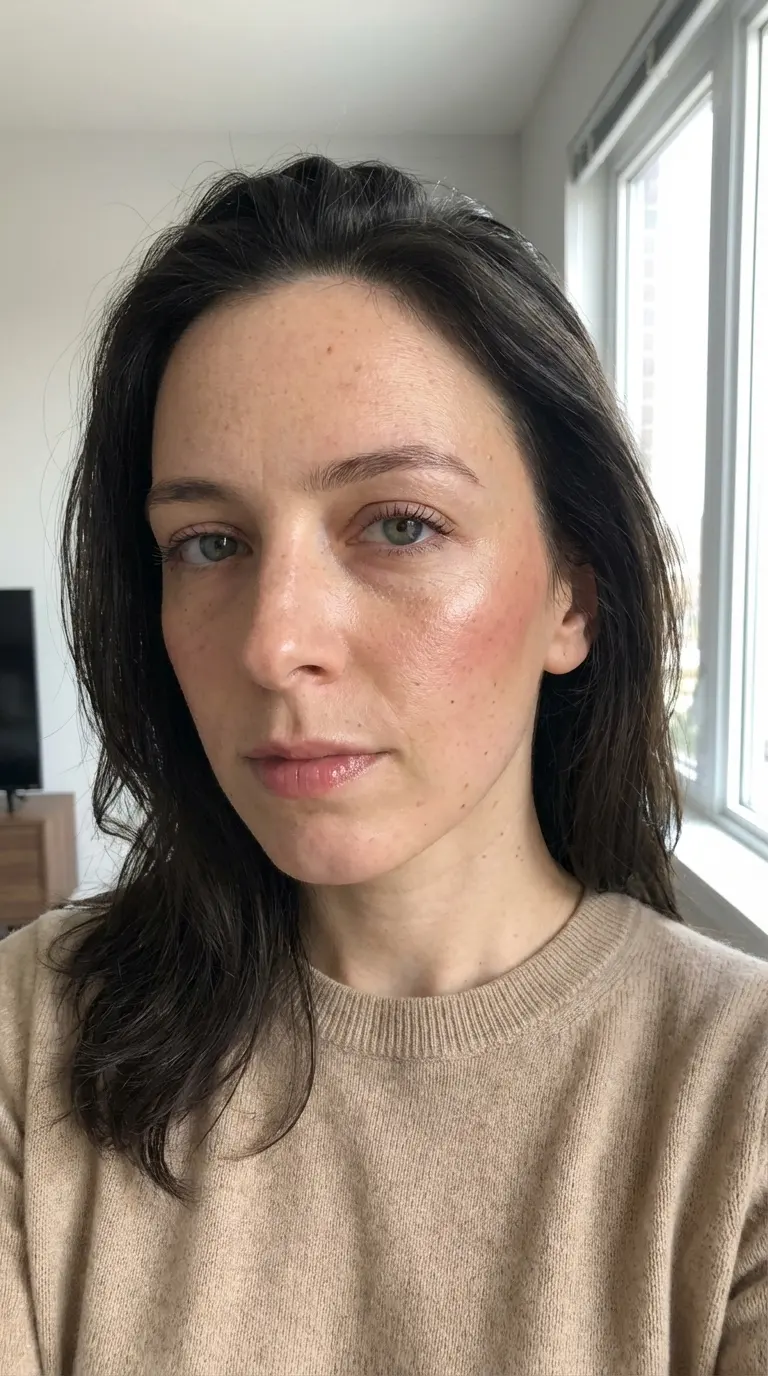
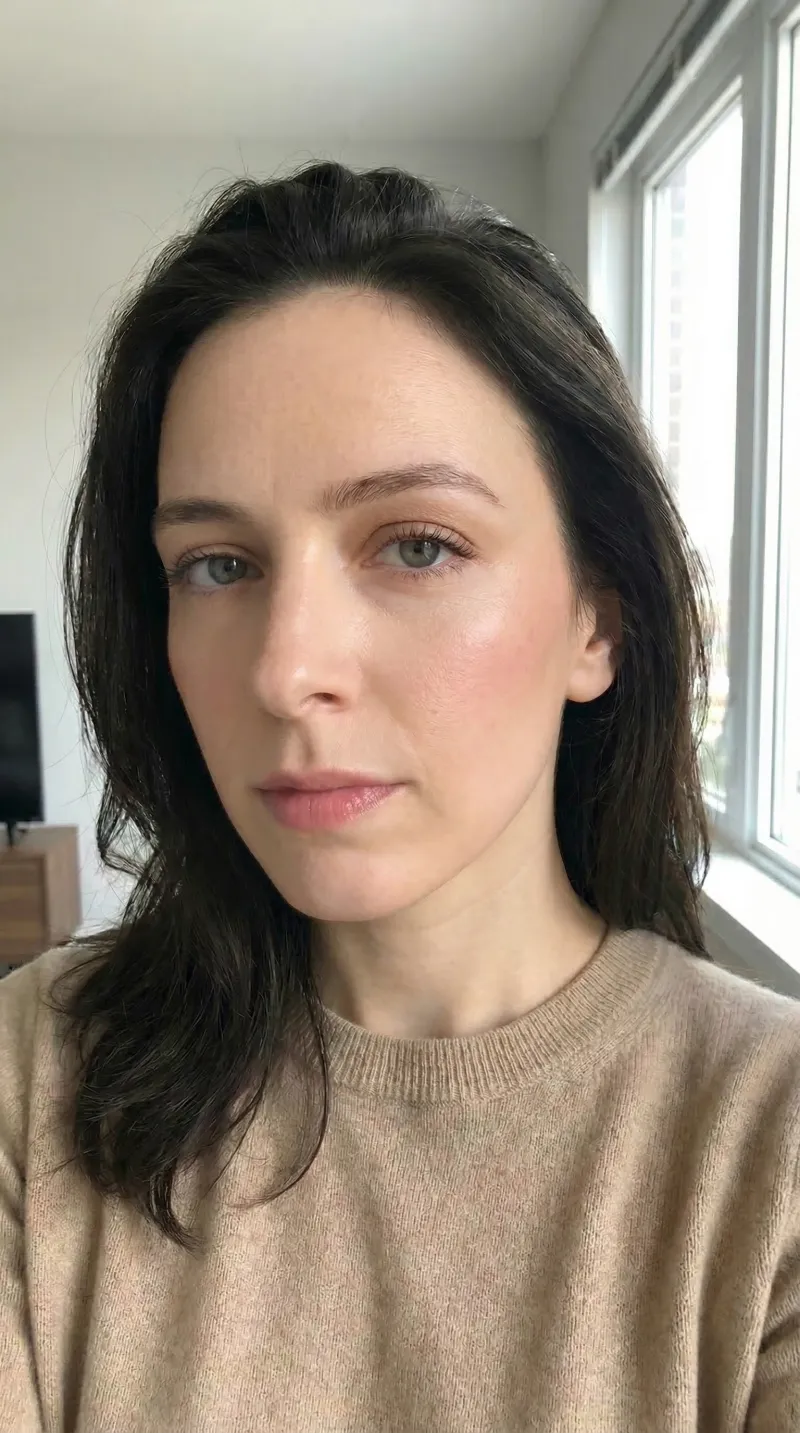
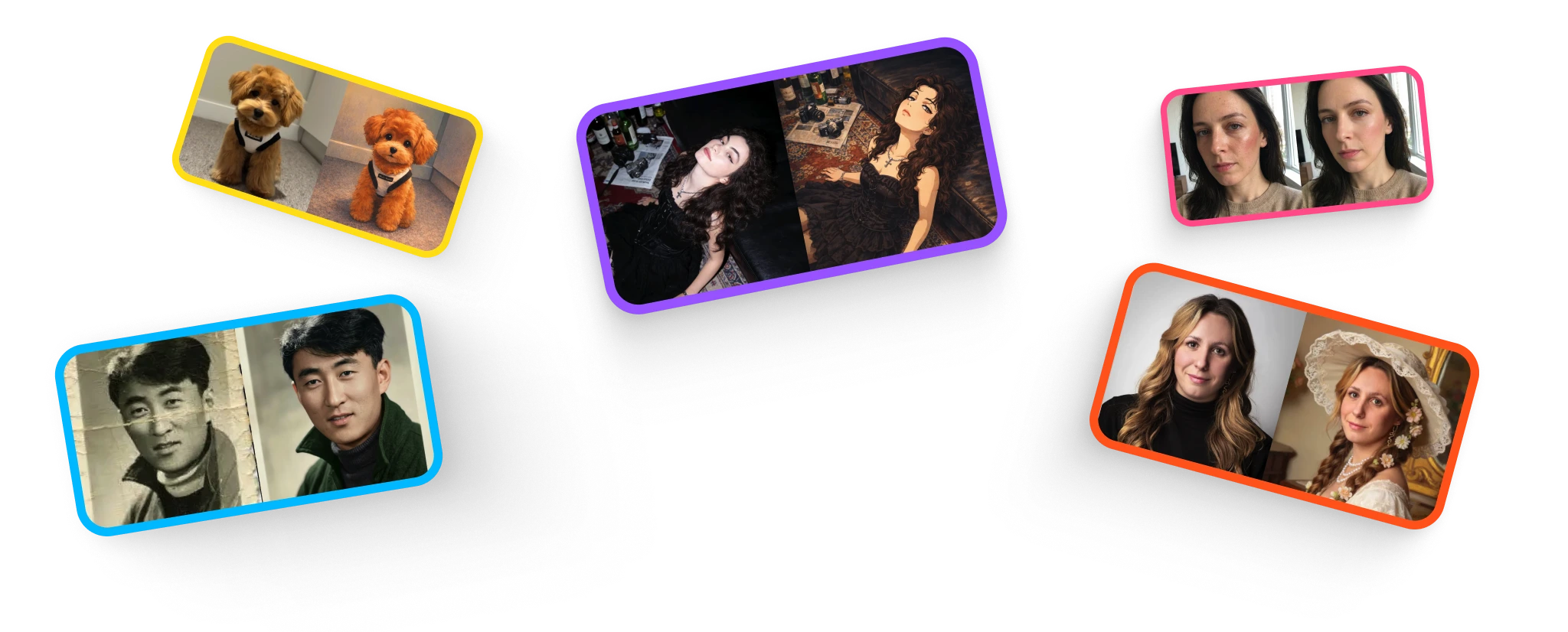
AI Auto Retouch
Laat handmatige bewerking achterwege. Verbeter direct de belichting, het contrast en de helderheid met onze intelligente auto-perfect-tool met één klik voor een onberispelijke afwerking.
4.8/5 Average Rating|
Trusted by 6000+ users.
Why Choose Our AI Photo Enhancer to Auto Retouch Photos?
Ditch generic filters. Experience one-click photo retoucher with studio-grade lighting.
Next-Gen AI Photo Enhancer
By leveraging advanced neural networks, our premium AI photo enhancer optimizes shadows, highlights, and contrast automatically. Perfect for one-click photo retoucher that makes dull shots studio-grade.
Auto Retouch Photos (No Blur)
Unlike standard tools that smudge details, our image enhancer analyzes portrait facial features to auto retouch photo while maintaining authentic skin texture, sharp eyelashes, and natural hair.
High Dynamic Color Correction
Say goodbye to flat colors. Our auto perfect image system automatically balances exposure, restores natural contrast, and injects vibrant tones into landscapes and products.
Instant One-Click Optimization
No complex dials or editing settings. Simply drop your image, and our auto photo editor handles color grading, sharp details, and exposure correction in seconds.
Enhance Image Quality with
AI Photo Enhancer
Witness the power of our one-click photo retoucher as it automatically corrects exposure, enhances resolution, and balances tones. From complex outdoor lighting fixes to delicate portrait retouching, our advanced AI photo enhancer delivers professional results instantly. Enhance image quality, improve image contrast, and auto enhance photo with zero manual effort.
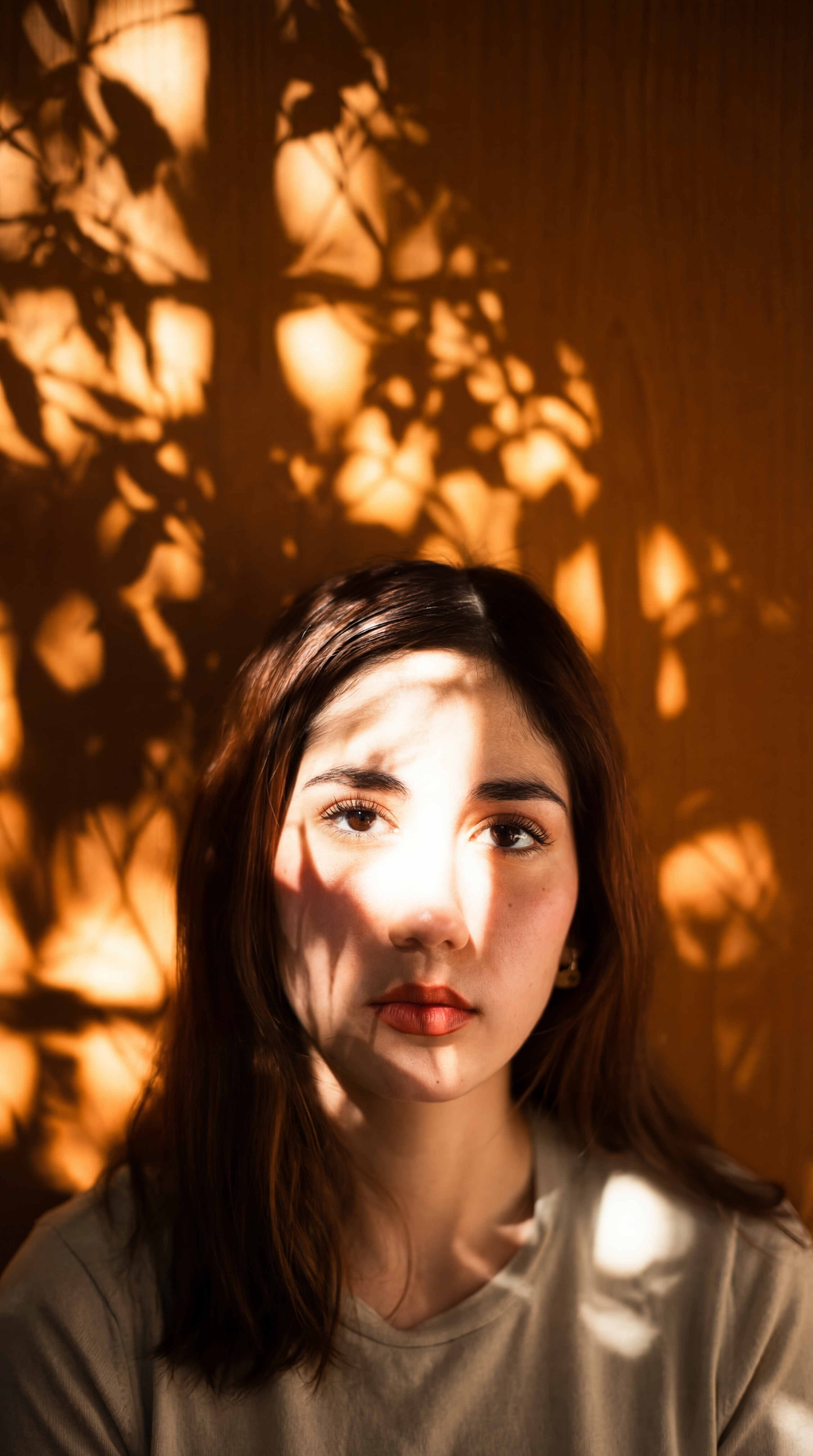
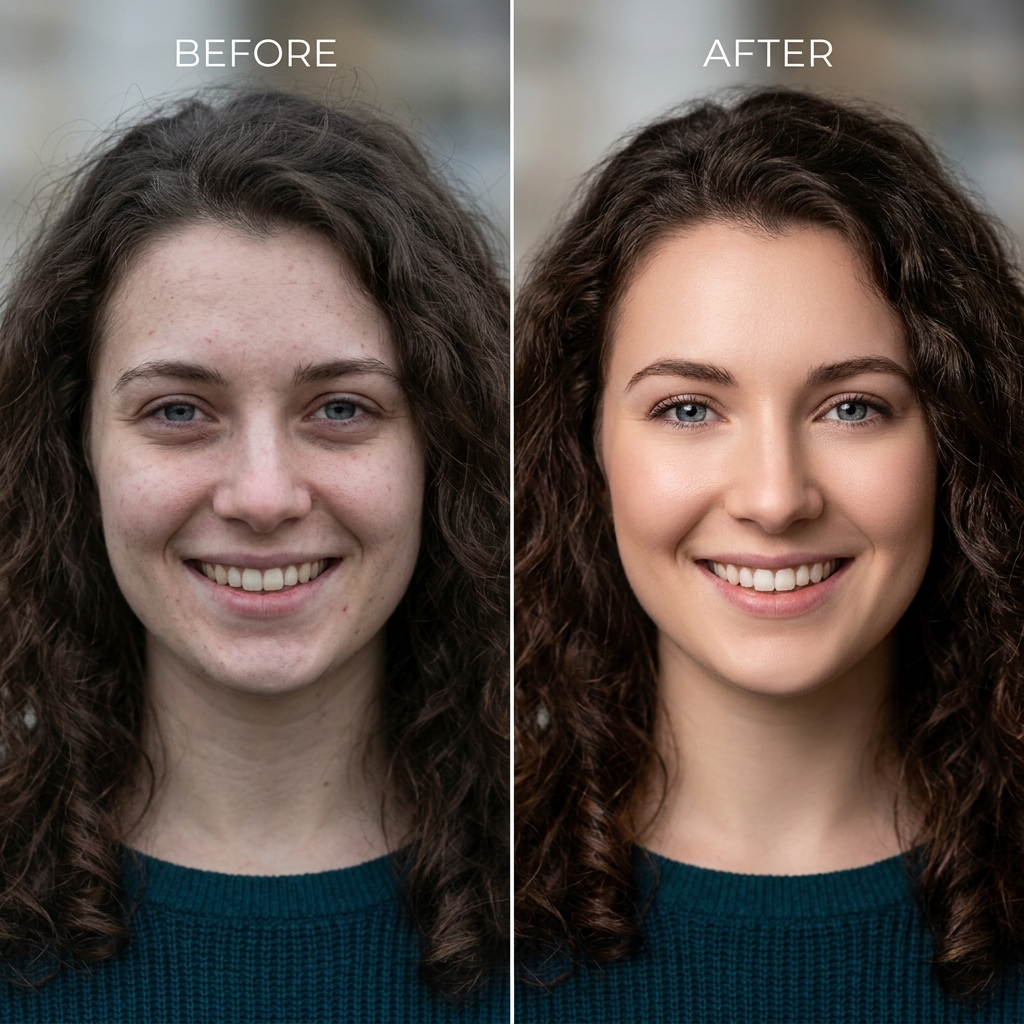
Portrait Retouching & Face Perfecter
Reveal stunning details on facial features. The photo enhancer intelligently cleans blemishes, balances shadows, and brightens expressions while preserving natural details.
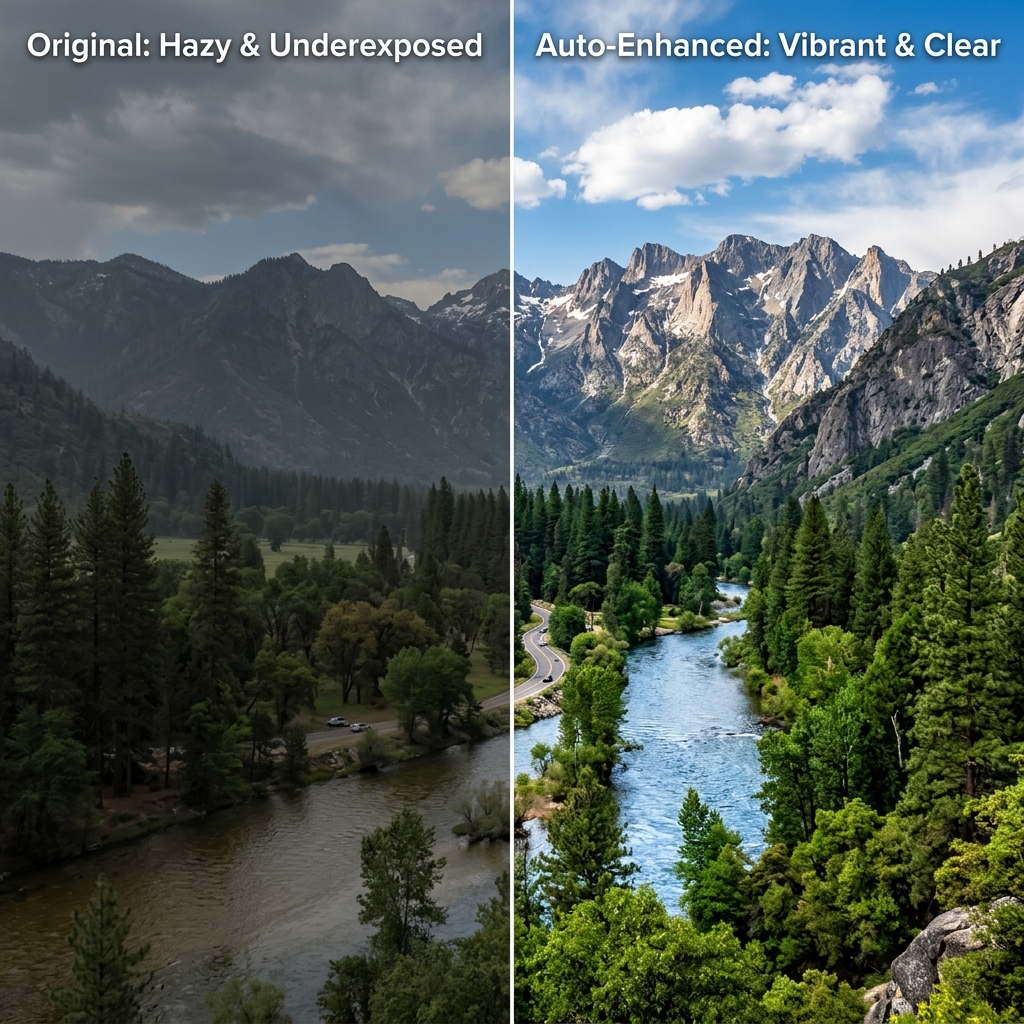
Landscape Dynamic Range Enhancement
Convert flat, low-contrast landscapes or product photos into high-impact visual assets. Improve image quality, color vibrance, and local contrast automatically.
How to Enhance Image Quality with AI – 3 Simple Steps
Auto retouch and optimize your images in seconds.
Upload Image
Drop your JPG, PNG, or WebP photo into our secure upload container. The auto photo editor supports files from any mobile device or camera under 10MB.
Instant AI Enhancement
Our AI photo enhancer immediately scans the image parameters to detect underexposed zones, flat colors, or soft details, applying custom retouching filters.
Download High Fidelity
Save your beautifully retouched, high-resolution photo instantly. No watermarks, no hidden compression. Your optimized visual is ready for sharing or printing.
Advanced Auto Photo Enhancer Features
Professional color grading and detail reconstruction at your fingertips.
Smart Facial Skin Retouching
Our deep learning retoucher detects facial landmarks to smooth skin, remove minor blemishes, and optimize portrait lighting without losing original skin pores or texture.
Intelligent Auto Exposure & Local Contrast
Breathe life into shadows and control harsh highlights. The system applies dynamic exposure curves to ensure balanced contrast across every region of the image.
Automatic Color Vibrance & White Balance
Fix color casts from incorrect lighting. Our auto enhance photo engine reconstructs natural color temperatures, making sky blues, forest greens, and skin tones pop.
Texture Recovery & Ultra-Sharpening
Improve image quality by extracting hidden details. The image enhancer intelligently sharpens edges and cleans up compression blur, resulting in crisp, clean visuals.
GETUIGENISSEN
Wat gebruikers zeggen
Verhalen van mensen die onze tools graag gebruiken.

Marcus Thorne
E-commerce Owner
“I take product photos with my phone and the lighting is usually terrible. One click with the retouch tool and they look like I hired a studio photographer. It’s a total game-changer for my store.”

Sarah Jenkins
Marketing Consultant
“Honestly, I was skeptical about AI headshots looking fake. But I uploaded a few quick selfies taken in my living room, and it gave me a ridiculously clean, professional portrait. Instantly updated my LinkedIn profile!”

Leo Martinez
Indie Game Dev
“I've been looking for a way to quickly mock up concept art for my game. This tool doesn't just slap a cheap filter on; it genuinely mimics those cinematic Ghibli brushstrokes. Huge time saver.”

Emily Chen
History Buff
“My mom was literally in tears. I ran a torn, faded photo of my grandparents from the 60s through this, and it brought back details in their faces I didn't even know were there. It's like magic.”

Chloe O'Brian
Graphic Designer
“Clients always send me these tiny 500px blurry logos for massive print banners. I ran one through the upscaler yesterday and it blew it up to 4K perfectly, zero pixelation. Saved my life.”
Choose the plan that fits how you create
Restore old photos, create Ghibli-style art, and upscale to 4K — start free, cancel anytime.
Begin met een eenmalige aankoop
Eenmalige universele creditpakketten
Gebruik dezelfde credits voor elke functie. Kies één keer een pakket en geef credits uit wanneer je ze nodig hebt.
Eén betaling · Geen automatische verlenging · Tegoeden verlopen nooit
Starter
700 credits$9Bijvoorbeeld: ongeveer 70 bewerkingen met Nano Banana 2 OF 35 bewerkingen met GPT Image 2.
Alleen voorbeelden. Credits werken met alle tools; het verbruik verschilt per functie en model.
Creato
2.000 credits$21.99Bijvoorbeeld: ongeveer 200 bewerkingen met Nano Banana 2 OF 100 bewerkingen met GPT Image 2.
Alleen voorbeelden. Credits werken met alle tools; het verbruik verschilt per functie en model.
Pro
5.000 credits$48.99Bijvoorbeeld: ongeveer 500 bewerkingen met Nano Banana 2 OF 250 bewerkingen met GPT Image 2.
Alleen voorbeelden. Credits werken met alle tools; het verbruik verschilt per functie en model.
Voor regelmatig gebruik
Elke maand credits. Wordt automatisch verlengd totdat je opzegt.
For trying things out and light edits.
- No watermarks
- Full commercial license
- Failed generations auto-refund credits
800 credits
Bijvoorbeeld: ongeveer 80 bewerkingen met Nano Banana 2 OF 40 bewerkingen met GPT Image 2.
Alleen voorbeelden. Credits werken met alle tools; het verbruik verschilt per functie en model.
- All 5 AI tools
- HD downloads
Cancel anytime
For creators who edit every week.
- No watermarks
- Full commercial license
- Failed generations auto-refund credits
2.000 credits
Bijvoorbeeld: ongeveer 200 bewerkingen met Nano Banana 2 OF 100 bewerkingen met GPT Image 2.
Alleen voorbeelden. Credits werken met alle tools; het verbruik verschilt per functie en model.
- Everything in Starter
- Top-up packs 10% off
- Priority email support
Cancel anytime
For heavy AI usage and client work.
- No watermarks
- Full commercial license
- Failed generations auto-refund credits
4.000 credits
Bijvoorbeeld: ongeveer 400 bewerkingen met Nano Banana 2 OF 200 bewerkingen met GPT Image 2.
Alleen voorbeelden. Credits werken met alle tools; het verbruik verschilt per functie en model.
- Everything in Pro
- Top-up packs 20% off
- Early access to new AI tools
Cancel anytime
Start creating — it's free
30 bonus credits on signup + 10 daily check-in
Frequently asked questions
Secure payment via Creem · 7-day money-back guarantee
Veelgestelde vragen
Alles wat u moet weten.
Blog en tutorials
Ontdek tips, trucs en diepgaande inzichten in het genereren van AI-afbeeldingen. Beheers uw workflow met onze nieuwste handleidingen.