AI Auto Retouch
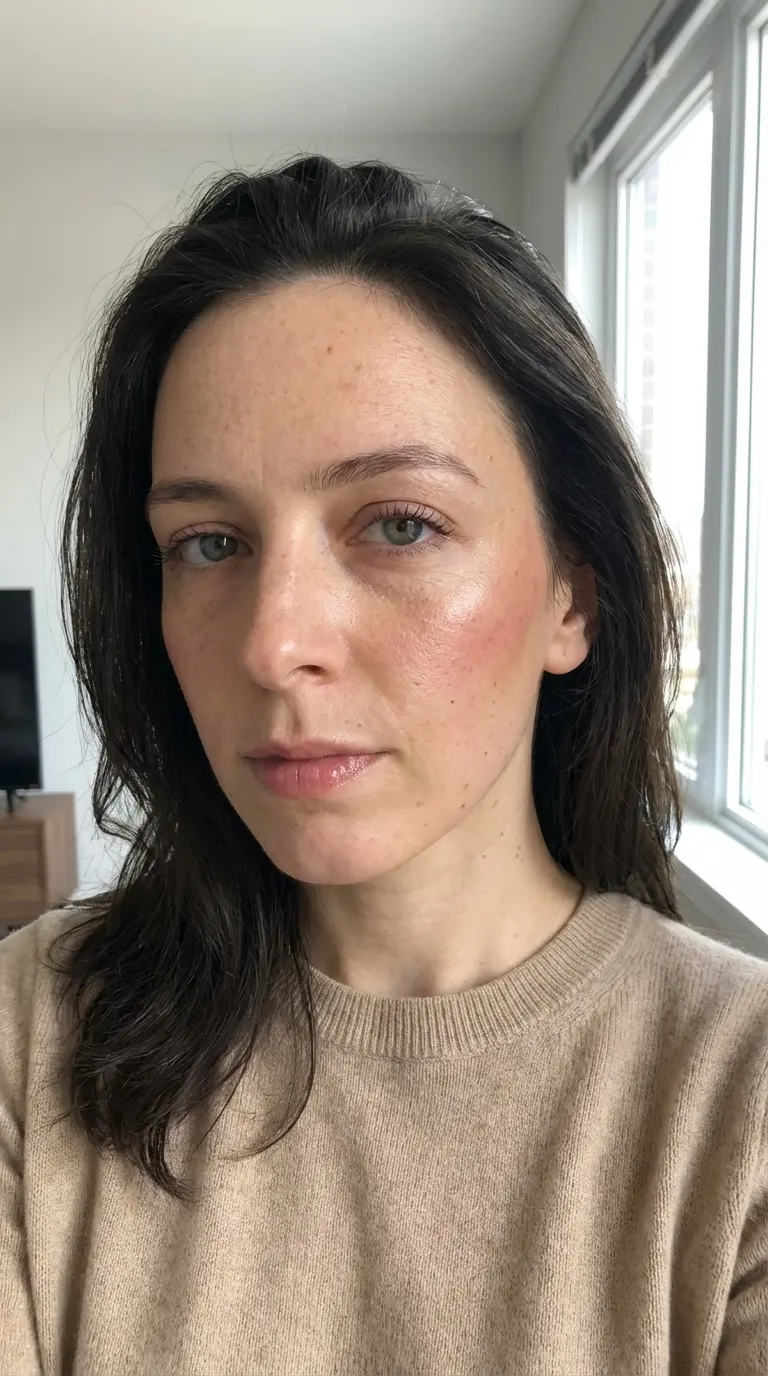
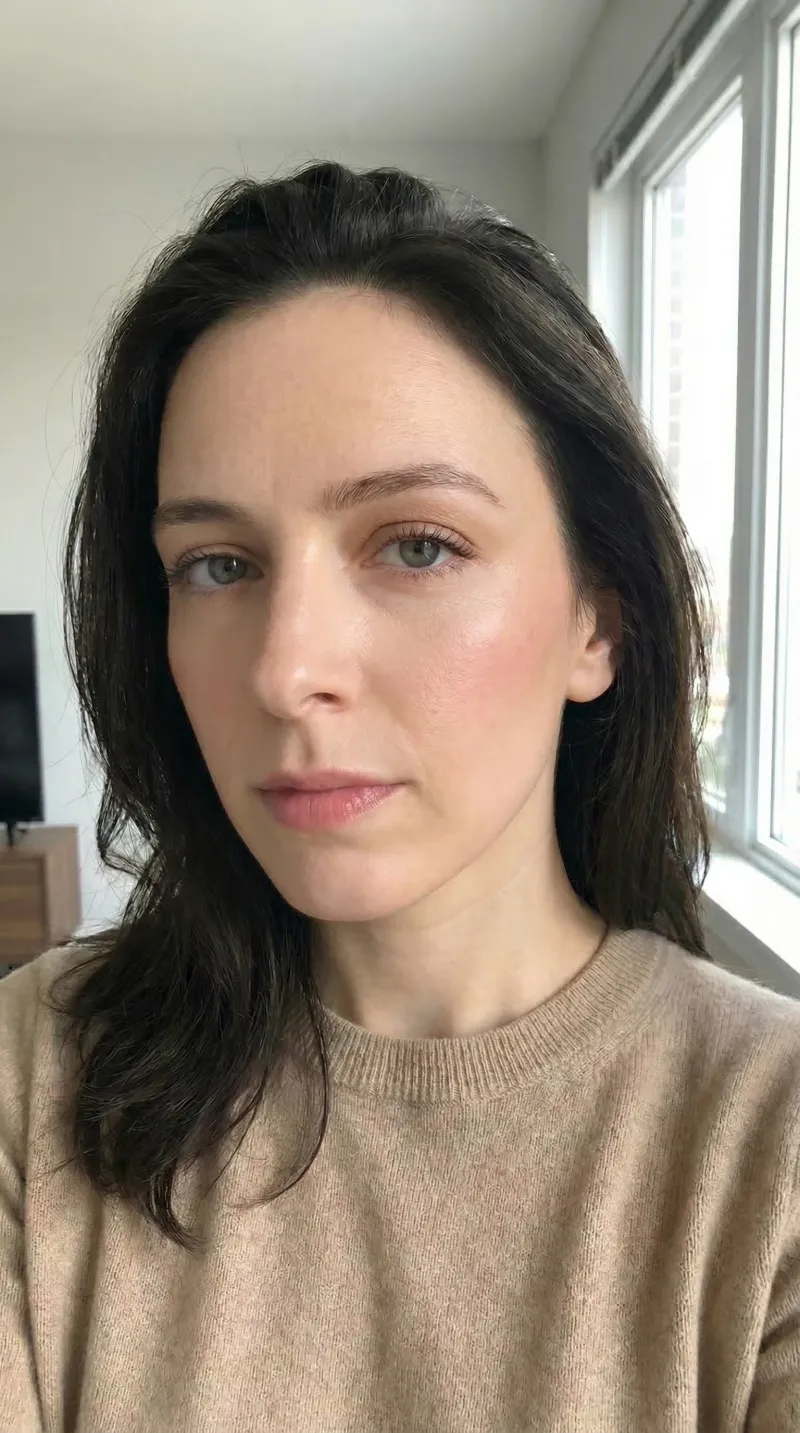
Try an automatic lighting and retouching pass, then compare skin texture, highlights, and color with your original.
Try Automatic Photo Enhancement
Evaluate brightness, color, and texture in one image.
Start with the Original File
Use a clear source rather than a screenshot or compressed social-media copy. Keep an untouched version for comparison.
Inspect Natural Skin Texture
Look closely at pores, freckles, fine lines, and hair. Keep changes that help the photograph without erasing features you want to preserve.
Check Color and Light
Compare skin tones, bright areas, and dark backgrounds separately. A brighter result is not automatically a more faithful one.
Use an Automatic Workflow
Upload one image and choose an aspect ratio. The tool runs an automatic edit; it has no exposure, color, or retouch-strength sliders.
Enhance Image Quality with
AI Photo Enhancer
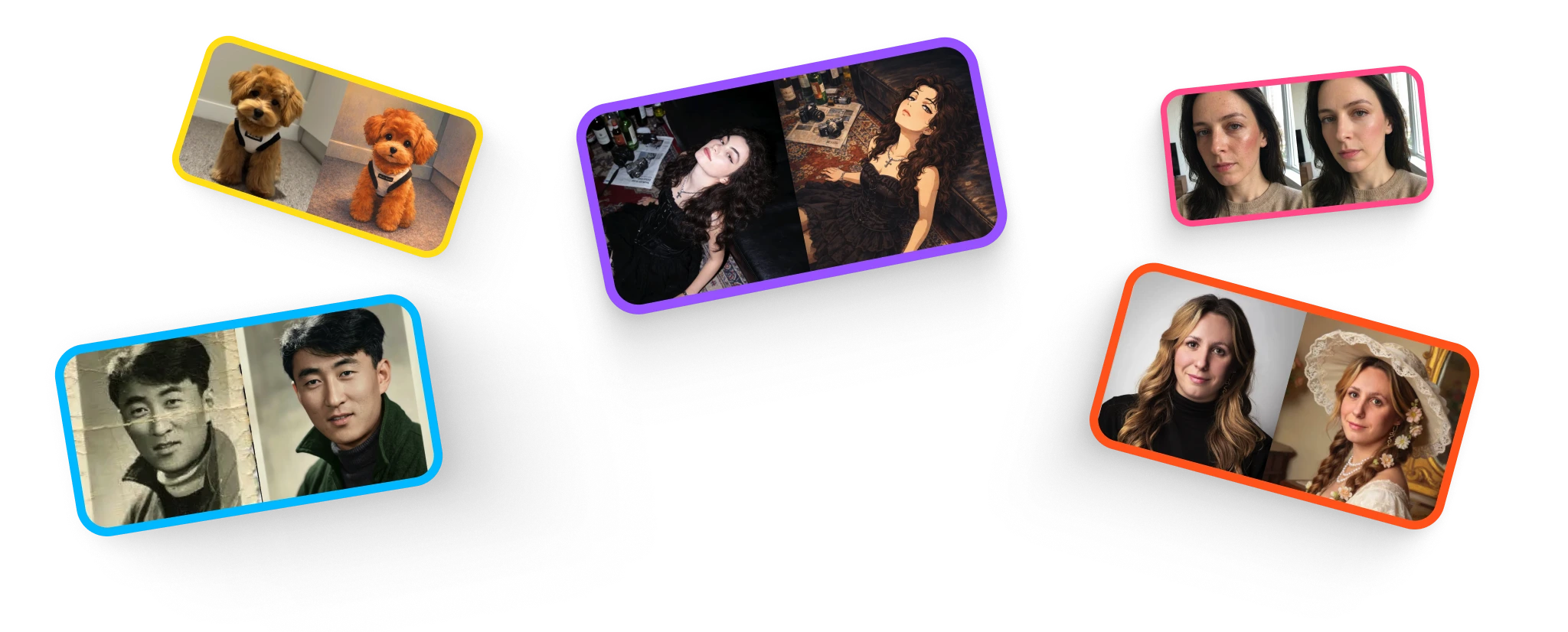
Use the examples as starting points for review. Compare your own result at normal size and close up, especially where skin, bright highlights, and dark areas meet.
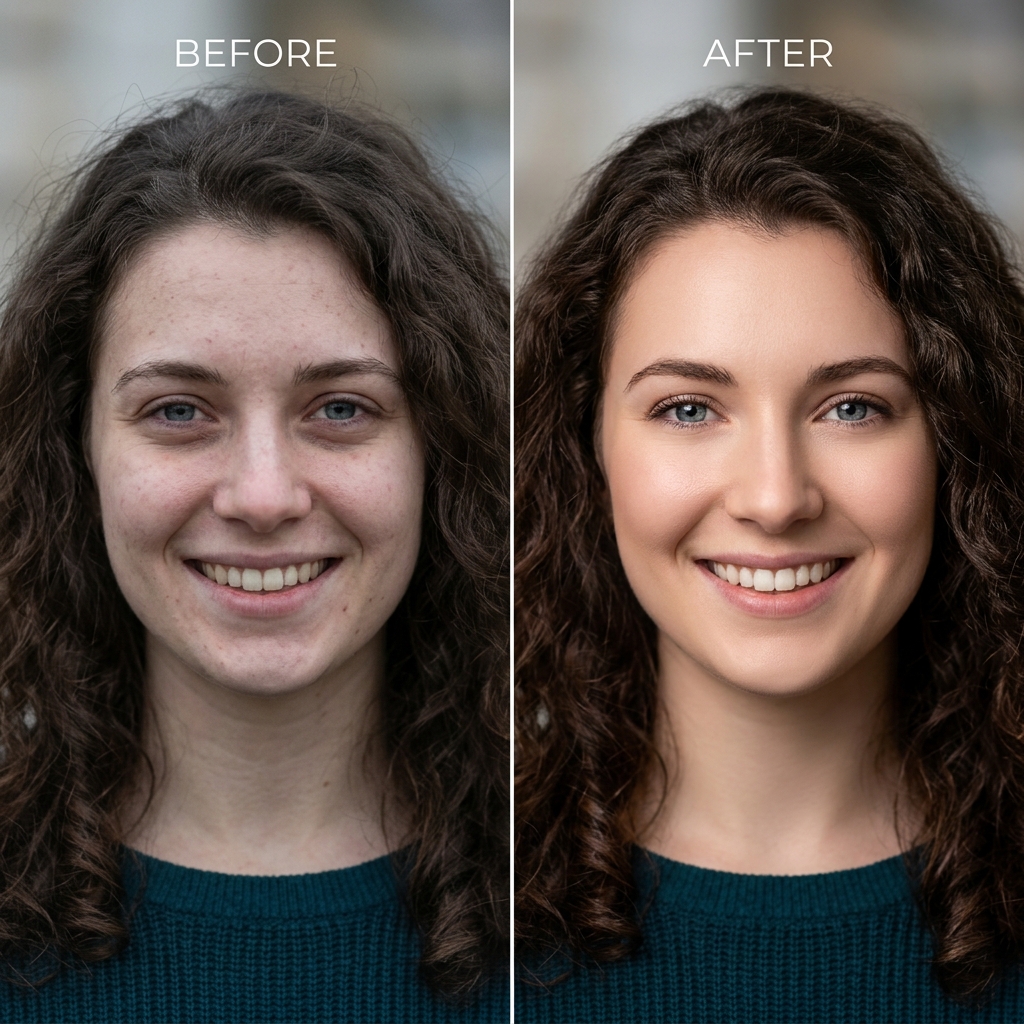
Review a Portrait
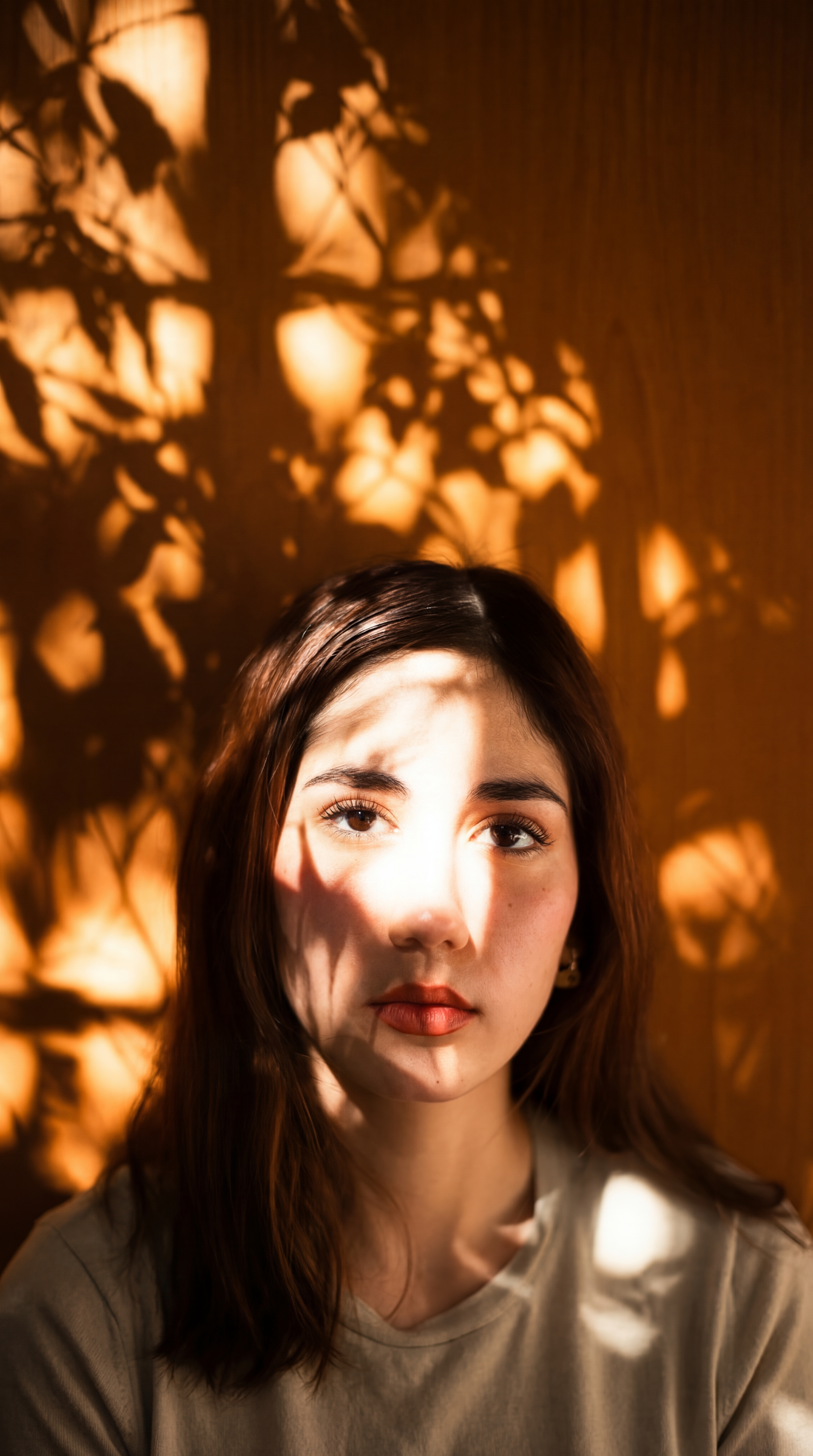
Check likeness, skin texture, eye detail, and the transition from face to background. Reject changes that make the person look unfamiliar.
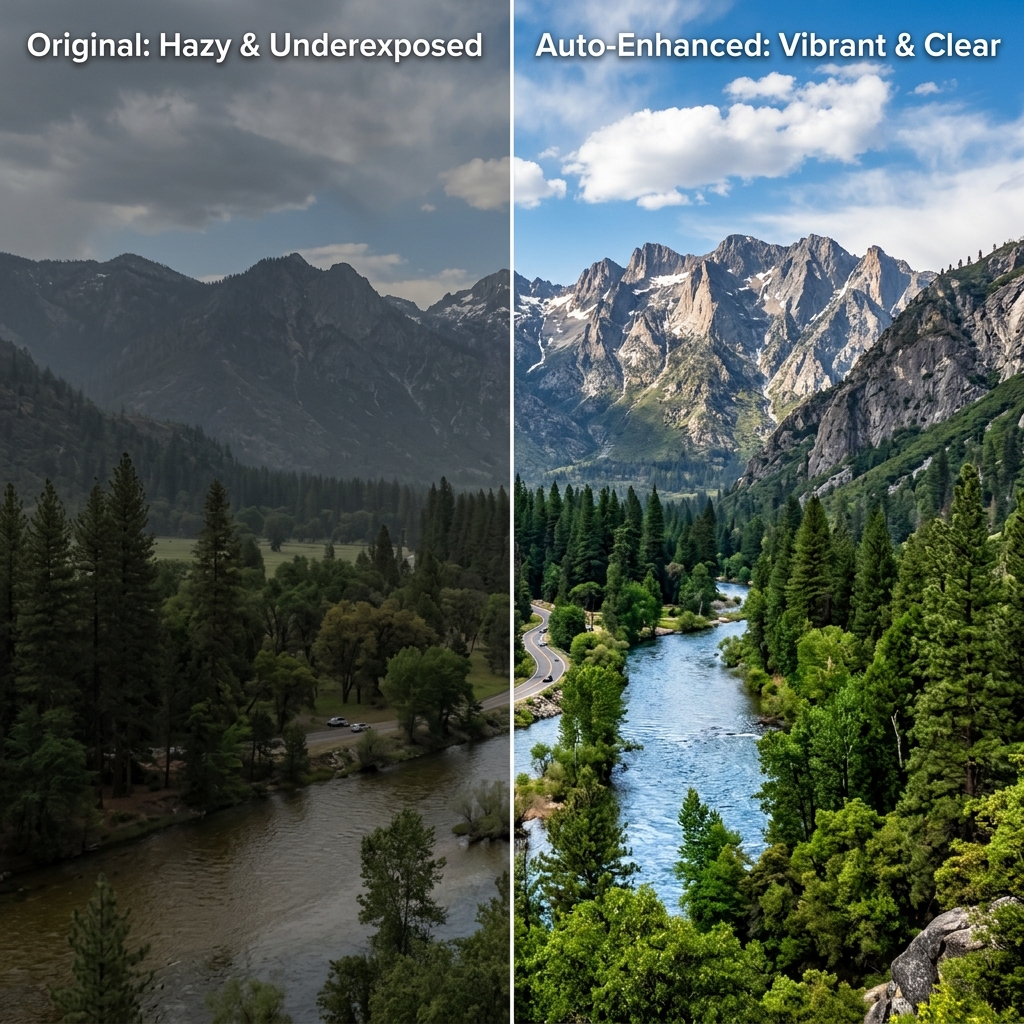
Review a Scene or Product
Compare colors and edges with the original. For product images, check that the edit has not changed a color, material, label, or feature.
Enhance One Image and Check the Result
Make the final decision from the output you receive.
Upload One Image
Choose a JPG, PNG, or WebP file up to 10 MB. Check your available guest allowance or account credits before starting.
Run Auto Perfect
Select an aspect ratio and wait for the automatic edit. Keep the page open while the task is processing.
Compare and Download
Check skin, highlights, shadows, and detail before downloading. Verify the actual file dimensions before using it in a large layout or print.
When reviewing light and colour, use these checks to brighten dark photos without washing out skin.
For facial detail, learn how to preserve skin texture when retouching and spot excessive smoothing.
A Review Checklist for Automatic Edits
Choose the result that serves your image, not just the brighter preview.
Skin and Facial Features
Check pores, freckles, wrinkles, eyes, and hair. If the automatic edit removes too much texture, use an editor with local controls.
Shadows and Highlights
Inspect bright skin and reflective surfaces for lost detail, then look for noise or invented texture in lifted shadows.
Color Balance
Compare neutral objects and familiar skin tones. Mixed lighting may need selective adjustments in a separate editor.
Edges and Texture
Look for halos, repeated patterns, and altered lettering. Extra contrast or apparent sharpness does not prove the presence of authentic detail.
Choose the plan that fits how you create
Choose credits for restoration, portraits, retouching, illustration, and upscaling. Free access has usage limits.
Start with a one-time purchase
One-time universal credit packs
Use the same credits across every feature. Choose a pack once and spend credits whenever you need them.
One payment · No auto-renewal · Credits never expire
Starter
700 credits$9For example: about 70 Nano Banana 2 edits OR 35 GPT Image 2 edits.
Examples only. Credits work across all tools; usage varies by feature and model.
Creato
2,000 credits$21.99For example: about 200 Nano Banana 2 edits OR 100 GPT Image 2 edits.
Examples only. Credits work across all tools; usage varies by feature and model.
Pro
5,000 credits$48.99For example: about 500 Nano Banana 2 edits OR 250 GPT Image 2 edits.
Examples only. Credits work across all tools; usage varies by feature and model.
For regular use
Monthly credits. Renews automatically until canceled.
For trying things out and light edits.
- No watermarks
- Review usage rights for your project
- Failed generations are not charged
800 credits
For example: about 80 Nano Banana 2 edits OR 40 GPT Image 2 edits.
Examples only. Credits work across all tools; usage varies by feature and model.
- All AI photo editing tools
- HD downloads
Cancel anytime
For creators who edit every week.
- No watermarks
- Review usage rights for your project
- Failed generations are not charged
2,000 credits
For example: about 200 Nano Banana 2 edits OR 100 GPT Image 2 edits.
Examples only. Credits work across all tools; usage varies by feature and model.
- Everything in Starter
- Top-up packs 10% off
- Priority email support
Cancel anytime
For heavy AI usage and client work.
- No watermarks
- Review usage rights for your project
- Failed generations are not charged
4,000 credits
For example: about 400 Nano Banana 2 edits OR 200 GPT Image 2 edits.
Examples only. Credits work across all tools; usage varies by feature and model.
- Everything in Pro
- Top-up packs 20% off
- Early access to new AI tools
Cancel anytime
Sign up to claim free credits
Claim 30 welcome credits; daily claims up to 10, within the free balance cap
Frequently asked questions
Payment via Creem · Contact support about purchase and refund questions
Frequently Asked Questions
Everything you need to know.
Blog & Tutorials
Discover tips, tricks, and deep-dives into AI image generation. Master your workflow with our latest guides.