TL;DR
To turn an ordinary photo into AI art, choose a beginner-friendly tool like Canva, Fotor, or a dedicated generator like Ghibli Art AI. Upload your photo, select a preset art style (like watercolor or cyberpunk), and adjust the "strength" slider to control how much the AI alters your original image. Using "Image-to-Image" mode with a low strength (around 0.3) is the best way to maintain your facial likeness.
You have a regular photo sitting on your phone. Maybe it’s a standard selfie, a picture of your cat, or a landscape shot from your last vacation. You want to make it look unique. You want it to look like a watercolor painting, a cyberpunk poster, or a frame from an anime movie.
Turning everyday photos into stunning art used to require years of practice or expensive software. That is no longer the case. The barrier to entry has completely vanished. You can now transform your images in seconds using a variety of accessible tools.
This guide breaks down exactly how to do it. We cover the tools you need, the hidden costs, and the steps to ensure the final image actually looks like you.
Why Everyone is Making AI Art From Photos
People are flocking to AI image generators for personal reasons. They want unique avatars for social media. They want to create personalized gifts for friends without paying a premium for custom commissions.
According to recent data from the CNET 2025 AI Guide, beginner-friendly platforms have dominated the market simply by adding one-click stylization features. People don’t want to learn complex prompt engineering. They want fast, impressive results.
This ease of use completely changes the game. As user @merv592 recently noted on a popular YouTube tutorial, discovering free AI image tools is an "absolute game changer". You don’t need a degree in graphic design anymore.
Basic Photo Editing and Portrait Enhancement
Before you go wild with dramatic art styles, you need to understand the basics. Often, you just want to fix a poorly lit photo, enhance the colors, or optimize a portrait for a cleaner look.
If your goal is simple touch-ups or preparing a photo before applying heavy filters, using an AI photo editor is your best starting point. These tools specialize in automatically detecting lighting issues, smoothing out unwanted blemishes, and balancing the contrast.
1. Upload your photo to the platform.
2. Select the auto-enhance or portrait optimization feature.
3. Save the cleaned-up base image.
A clean, well-lit original image drastically improves the final result when you decide to apply heavy artistic styles later.
Turn Your Photo Into Ghibli Inspired Art
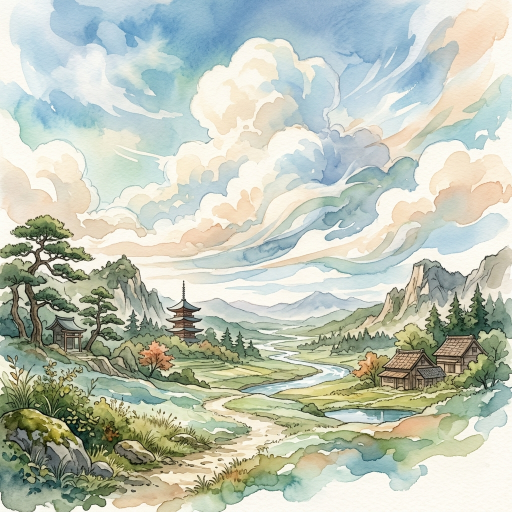
One of the most popular trends right now is transforming real-life photos into scenes that look like they belong in a Japanese animated film.
If you want those soft watercolors, fluffy clouds, and nostalgic lighting, you don’t need to write complex prompts. You can simply use a dedicated Ghibli Art AI generator.
Pro Tip: When using a specific style generator, pick photos taken outdoors with lots of natural greenery or clear skies. The AI translates these elements beautifully into the anime aesthetic.
Best Free and Paid AI Art Tools
The market splits into tools built for convenience and tools built for absolute control.
· Quick Web Apps: Tools like Canva and Fotor are perfect for social media avatars. They are mostly free or have very low subscription costs. They are extremely easy to use.
· Artistic Generators: Midjourney offers stunning aesthetic quality. It costs around $10 a month and runs through Discord. It is best for high-end conceptual pieces.
· Advanced Control: Stable Diffusion gives you absolute control over specific poses and styles. It is free if you run it locally, but it is hard to learn.
As the AIArtists.org Resource Guide points out, many users start with free daily credits on web apps before deciding if they need a premium subscription. You have options.
Here is a quick breakdown:
AI Art Tool Category
Core Strength
Best For
Price Estimate
Ease of Use
Needs Local GPU?
Quick Web Apps (Canva, Fotor)
Built-in presets, one-click
Social media, quick avatars
Freemium / Low subscription
Extremely Easy
No
Artistic Generators (Midjourney)
Stunning aesthetic quality
High-end art, conceptual pieces
Monthly Subscription
Medium
No
Advanced Control (Stable Diffusion)
Absolute control, specific poses
Power users, consistent characters
Free (if local) / Cloud rental
Hard
Yes (for local)
Step by Step Guide to AI Photo Editing
Getting started is surprisingly fast. User @guyivie8987 summarized the beginner experience perfectly: "I never thought it would be this easy!"
Follow these steps to get your first result.
1. Pick a clear, well-lit source photo.
2. Upload it to your chosen platform.
3. Select an art style preset (e.g., watercolor, cyberpunk, oil painting).
4. Adjust the strength slider. Lower strength keeps it looking like the original. Higher strength makes it more abstract.
5. Click generate and wait a few seconds.
If you are using a tool that requires text prompts, stick to a simple formula: - Subject + Setting + Art Style + Lighting. - Example: "A person standing in a city, cyberpunk style, neon lighting"
How to Keep Your Face Looking Like You
The biggest frustration for beginners is losing their personal likeness. You upload a selfie, and the AI gives you back a painting of a complete stranger.
To fix this, you need to understand the concept of Image-to-Image generation. Instead of telling the AI to draw something from scratch, you provide your photo as the strict foundation.
Pro Tip: Look for a setting called “Denoising Strength” or “Image Weight”. Turn this setting down. A value around 0.3 or 0.4 usually applies the art style while keeping your facial features intact.
Advanced users rely on a technology called ControlNet within Stable Diffusion. It essentially locks your facial structure in place while changing everything else.
The Hardware and Costs You Actually Need
You might assume you need a $2,000 gaming computer to do this. You don’t.
Most consumer tools run entirely in the cloud. Your phone or a basic laptop is all you need to use web apps or Midjourney. The heavy lifting happens on their servers.
However, if you want complete privacy and zero monthly fees, you can run open-source models like Stable Diffusion on your own machine. This is where hardware matters. You will need a dedicated graphics card (GPU) with at least 8GB of VRAM. If you don’t have this, stick to the cloud.
Common Mistakes Beginners Make
Many beginners hit the same roadblocks. Knowing what to avoid saves you hours of frustration.
· Using messy source photos. According to Motionlaps.ai Image-to-Image Guidelines, overly complex backgrounds confuse the AI.
· Writing paragraphs of text. Simple prompts work better. @eduard_sharedook experienced this firsthand, noting how "simple prompts can completely change a photo".
· Giving up after one try. AI generation is an iterative process. You rarely get the perfect image on the very first click.
What to Try Next
Start small. Grab a free app, upload a clear selfie, and apply a basic filter. Play with the strength slider until you understand how it affects your image.
Once you get a result you love, don’t just leave it on your phone. Print it out. Frame it. You are now officially a digital artist.
Frequently Asked Questions
Does it cost money to turn photos into AI art?
No. Many tools offer free daily credits. You only pay if you want premium features, faster generation speeds, or high-resolution upscaling.
Why does the AI mess up hands and eyes?
AI models sometimes struggle with fine details because they learn patterns, not human anatomy. Using lower denoising strength helps preserve the original details of your photo.
Can I sell the AI art I make from my photos?
Usually, yes. If you own the original photo and use a tool that grants commercial rights (like a paid Midjourney subscription), you can sell the output. Always check the specific platform’s terms of service.
Is it safe to upload my face to these apps?
Stick to reputable platforms. Read their privacy policies to ensure they do not use your personal photos to train their public models without your consent.
Do I need a powerful computer?
Only if you plan to run models locally. Web-based apps and Discord bots work perfectly fine on a standard smartphone or budget laptop.