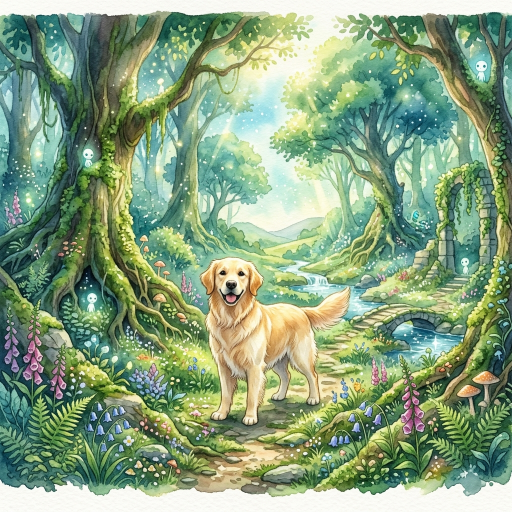
You can use an image-to-image tool to reinterpret a pet photo as a hand-drawn, anime-inspired animal illustration. The result depends on the source photo, the instructions, and the model or editor you choose. Treat “Ghibli-inspired” as a description of broad traits—observed setting, soft light, painted texture, and expressive but grounded character design—not as a promise that an output is an authentic Studio Ghibli work.
Start with a useful reference photo
Choose one clear image where the pet’s face, body, and distinctive markings are visible. Even lighting helps the editor identify the subject. A cluttered background is workable, but decide whether you want to preserve it or replace it. If the photo includes people, private documents, addresses, or other animals, crop or remove anything you do not want to upload.
Once you have a clear source, try the Ghibli-style photo tool on Photo Editor AI. Choose an available aspect ratio and upload one pet photo for the preset conversion, then check the face, paws, and markings before downloading. There is no custom prompt field, model selector, or strength slider in this tool; the scene prompts and revision advice below are for editors that support text instructions.
Write the scene before naming a style
Describe what should remain recognizable: species, coat pattern, eye color, pose, collar, and expression. Then specify the new scene: “a small dog sitting beside a rainy window,” “a cat resting in a sunlit kitchen,” or “a rabbit in a meadow at dawn.” Add visual direction such as hand-drawn 2D animation, layered painted background, natural light, restrained colors, and visible material texture.
Example prompt:
Reinterpret this photo as a hand-drawn 2D animal illustration. Keep the dog’s floppy ears, white chest, and seated pose. Place it on a mossy path after rain, with soft overcast light, a detailed but calm background, natural colors, and gentle pencil-and-paint texture. Do not add clothing or change the animal’s species.
Make one change at a time
If the first output loses a marking, ask for that specific correction. If the background is too busy, simplify it. If the subject no longer resembles the pet, strengthen the reference details and shorten the style description. Small, explicit edits are easier to evaluate than a long list of competing requests.
Some editors let you upload an existing image and describe edits; OpenAI’s current help page documents that workflow for ChatGPT Images. Other tools have different controls, so confirm the current product documentation before promising an option such as masking, strength, or image weight.
Review the output
Check the face, paws, markings, eye direction, and body proportions. Compare the result with the original rather than judging only the background. Also check whether the image has introduced text, logos, objects, or a setting you did not request. Keep the original file and record which prompt produced the version you prefer.
What “Ghibli-inspired” can and cannot mean
The Ghibli Museum explains that background art helps create the world in which characters live and that hand work, paper, paint, water, light, and shadow contribute to the screen image. You can ask an AI tool for related high-level traits. A generated pet illustration remains a new output from that tool; it is not a film frame, an official studio asset, or proof of the original production process.
FAQ
Can I keep my pet’s exact markings?
Ask explicitly, use a clear reference, and inspect the output. Image models can change small details, so do not assume identity is preserved.
Should I upload a full-resolution photo?
Use the resolution the chosen service recommends and remove private information first. Higher resolution alone does not guarantee a more faithful illustration.
Can I sell the result?
Check the current tool terms, the rights in your source photo, and the rules that apply where you live. This article does not establish commercial permission.