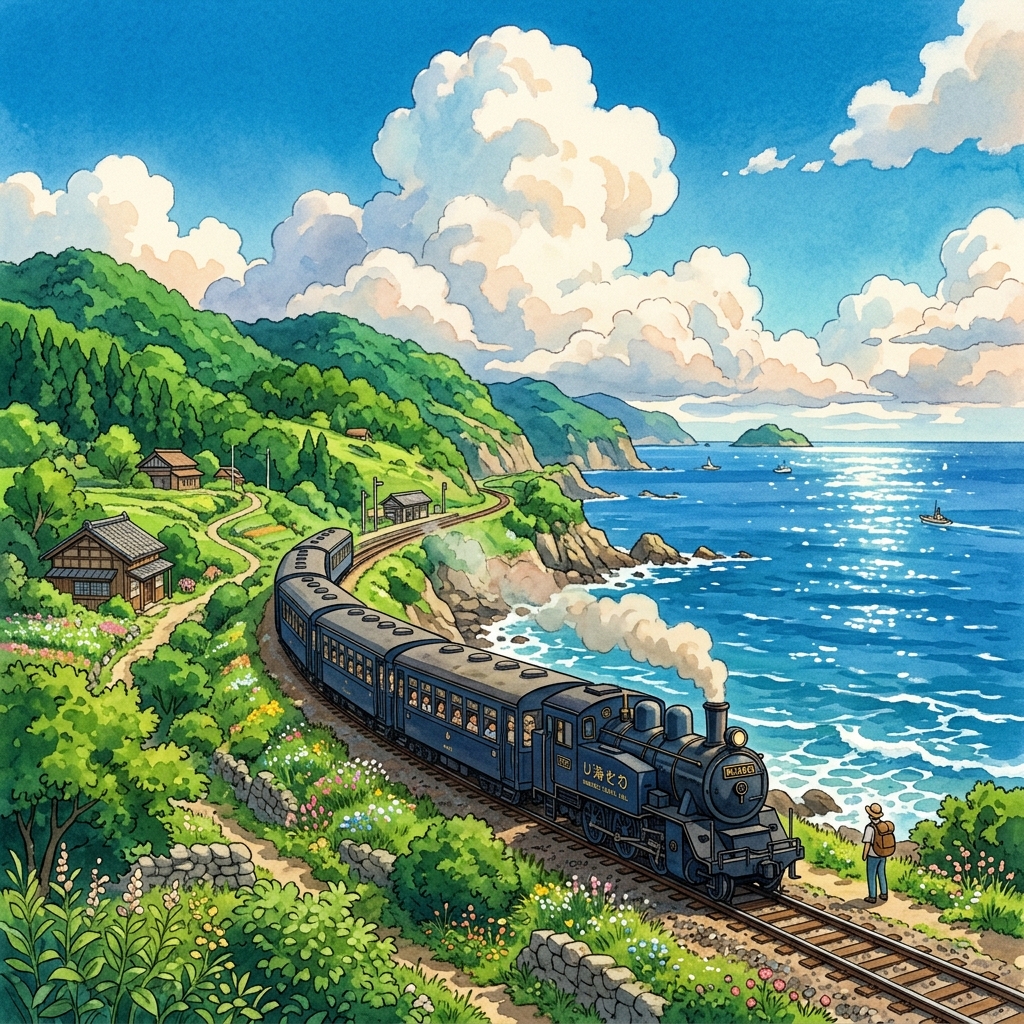
Travel is about capturing moments, but standard digital photos can sometimes feel flat or generic. If you have ever wanted to infuse your vacation memories with a sense of cozy, magical wonder, there is no better way than turning them into the painterly aesthetic of a Studio Ghibli film. From lush emerald fields to soft watercolor skies filled with towering clouds, this specific style elevates ordinary travel photography into whimsical story frames.
In this guide, we will break down what makes the Ghibli aesthetic so instantly recognizable, share actionable tips for taking Ghibli-worthy raw photos, and show you step-by-step how to convert your travel snapshots using high-quality AI style editors without losing the original soul of your memory.
The Magic of the Studio Ghibli Aesthetic
Studio Ghibli films like My Neighbor Totoro, Spirited Away, and Howl's Moving Castle have captured the global imagination for decades, not just because of their storytelling, but because of their distinct background art. Created by legendary art directors like Kazuo Oga, these backgrounds evoke nostalgia, comfort, and peace.
To successfully convert a photo into this style, we need to understand the key visual characteristics that define it:
- Lush, Hand-Painted Greens: Ghibli environments are filled with dense vegetation, using layered shades of emerald, moss, and lime green to build organic depth and humidity.
- Soft Watercolor Skies: Unlike the sharp gradients of modern digital vector art, Ghibli skies are soft watercolor sweeps, often showcasing massive, towering white cumulus clouds (known as nyudougumo) that suggest warm summer afternoons.
- Nostalgic Lighting: Light in Ghibli films feels alive. It is characterized by soft golden hour glows, light rays filtering through leaves (komorebi), and gentle, diffused overcast illumination.
- Organic Textures: Digital sharpness is replaced by soft brushstrokes and paper textures. The boundaries between subjects and backgrounds are painterly rather than hard and computerized.
"In Studio Ghibli backgrounds, the goal is not to replicate reality exactly, but to present an idealized, cozy memory of a place that feels more real than real life."
Why Turn Your Travel Memories into Anime Art?
Transforming your travel photos into hand-drawn anime art is more than just applying a filter—it is an act of creative storytelling. Here is why travelers are adopting this style:
- Emphasizing Emotion Over Detail: Camera sensors capture every tiny blemish and cable line. Reimagining a scene as an illustration removes clutter, focusing the viewer's eye on the feeling of the space.
- Unique Social Sharing: With social feeds saturated with identical travel reels and HDR photos, Ghibli-style transformations offer a unique, scroll-stopping visual break.
- Timeless Memorabilia: Printed Ghibli-style travel prints look like actual canvas artwork, making them beautiful, stylized additions to home decor.
Comparison: Traditional Painting vs. AI Style Converters
Achieving the Ghibli look has historically required classical painting training. Modern AI technology has democratized this style transfer, making it accessible instantly.
| Dimension | Traditional Background Art | AI Style Conversion |
|---|---|---|
| Time to Create | Days to weeks of hand-painting | 5 to 10 seconds per image |
| Technical Skill | Years of watercolor/poster paint mastery | Simple prompt adjustments and uploads |
| Customization | Requires manual repainting for edits | Infinite iterations with text prompts |
| Ideal For | Film production and high-end art gallery | Social media, personal blogs, custom prints |
Step-by-Step Guide to Ghibli-Style Conversion
Ready to convert your photos? You can easily turn your travel captures into anime frames using the secure and powerful Photo Editor AI Ghibli Filter. Follow these simple steps:
Step 1: Select Your Travel Photo
Choose an image with clear subject matter and landscape elements. Natural landscapes, rustic cobblestone streets, old railway lines, and countryside views convert beautifully. Make sure the photo is well-exposed and free from massive motion blur.
Step 2: Upload to the Editor
Go to the Ghibli Style Converter and upload your JPEG file. The editor processes files securely and supports high-definition resolutions.
Step 3: Define Style Keywords
While the AI filter applies the baseline painting style, you can write specific keywords to direct the color palette and atmosphere. For example:"lush green countryside, soft watercolor blue sky, fluffy white clouds, warm evening sunlight"
Step 4: Generate and Refine
Click generate and watch the AI stylize the canvas. Use the slider tool to compare the original and generated image, ensuring the structural outlines of your travel memory are maintained.
Step 5: Save and Download
Once satisfied, export the result as a high-resolution JPEG, ready for printing or sharing on social media.
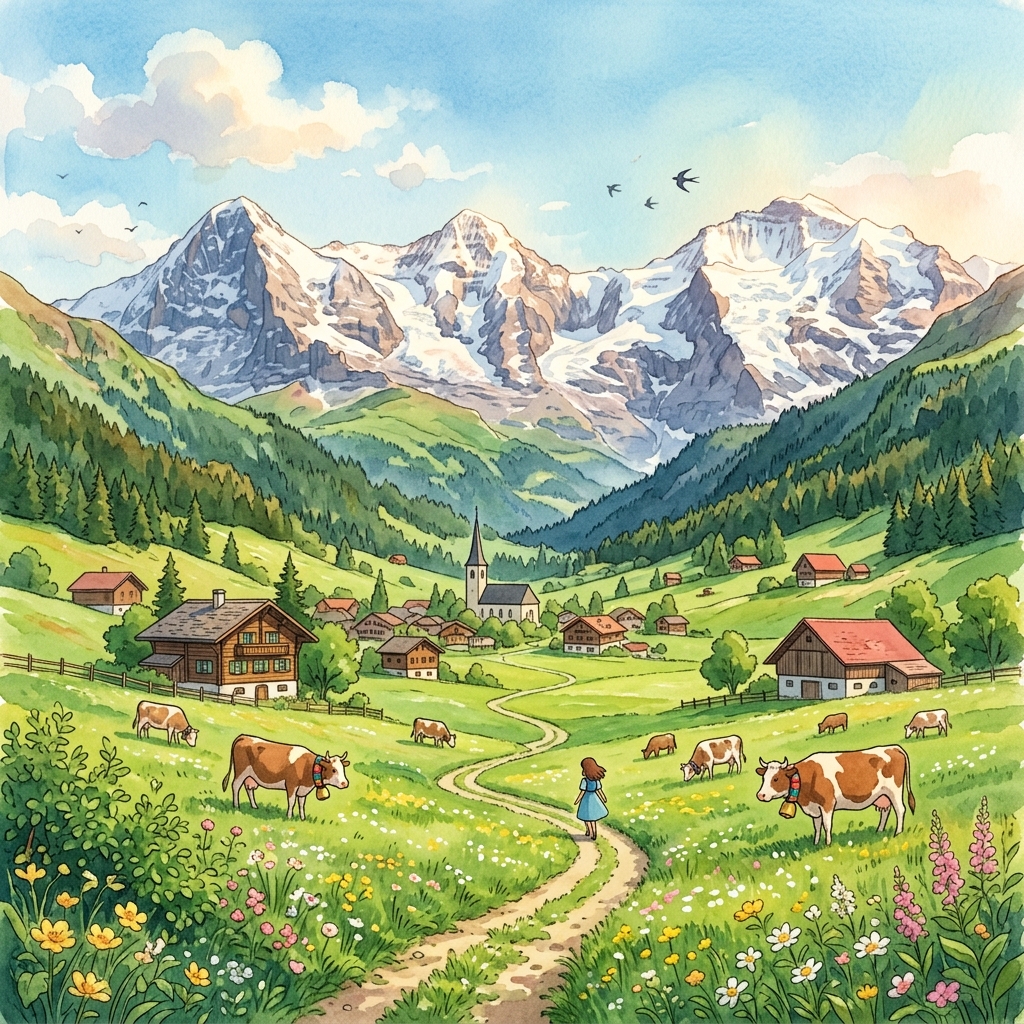
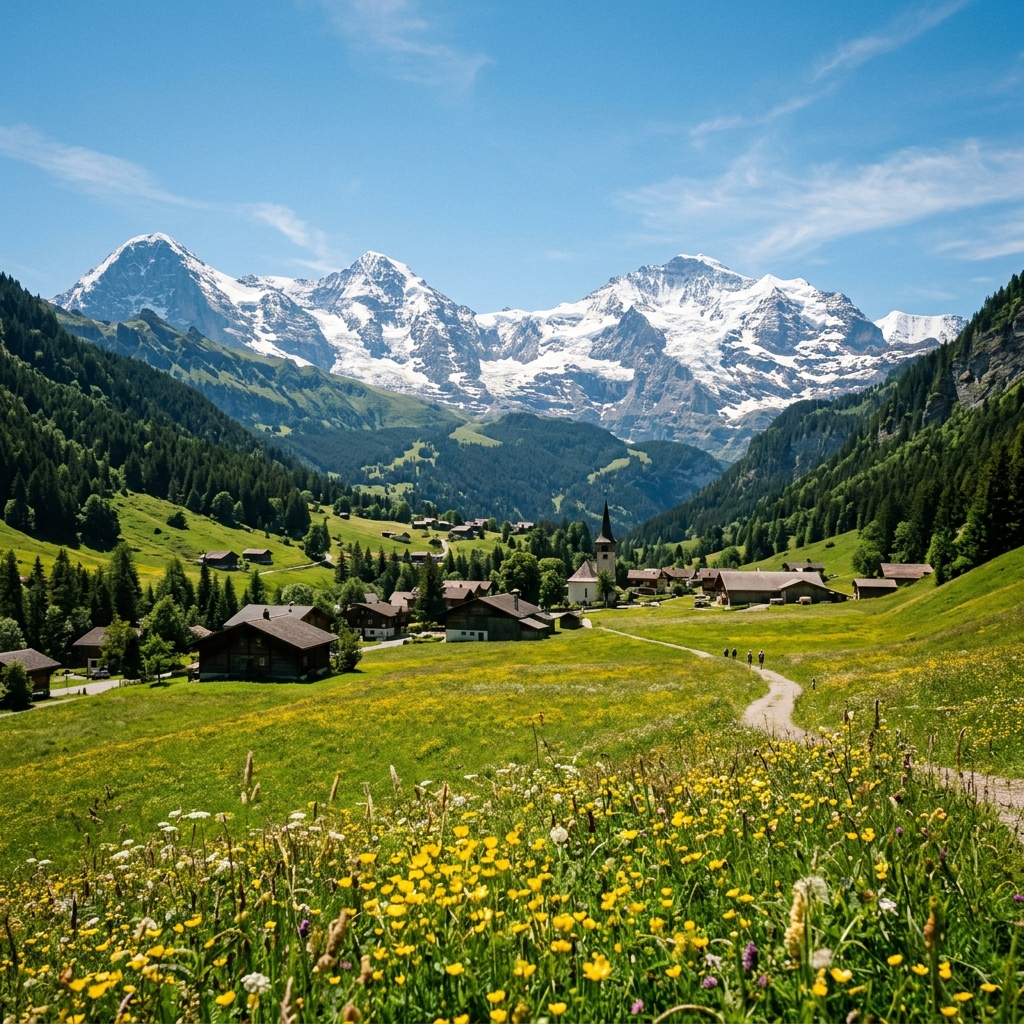
✨ Interactive Ghibli Transformation Slider
Drag the vertical slider handle left and right to compare the original travel photo and the Ghibli-style AI generation.
3 Secret Tips for Capturing Ghibli-Worthy Raw Photos
To get the absolute best results from Ghibli style converters, the source image plays a massive role. Professional landscape editors use these three capture rules during their travels:
1. Use Natural Framing
Ghibli films often frame scenes using tree branches, door arches, or winding paths that lead toward the horizon. When taking photos, look for foliage or architectural frames. This structure translates into beautifully framed illustrations.
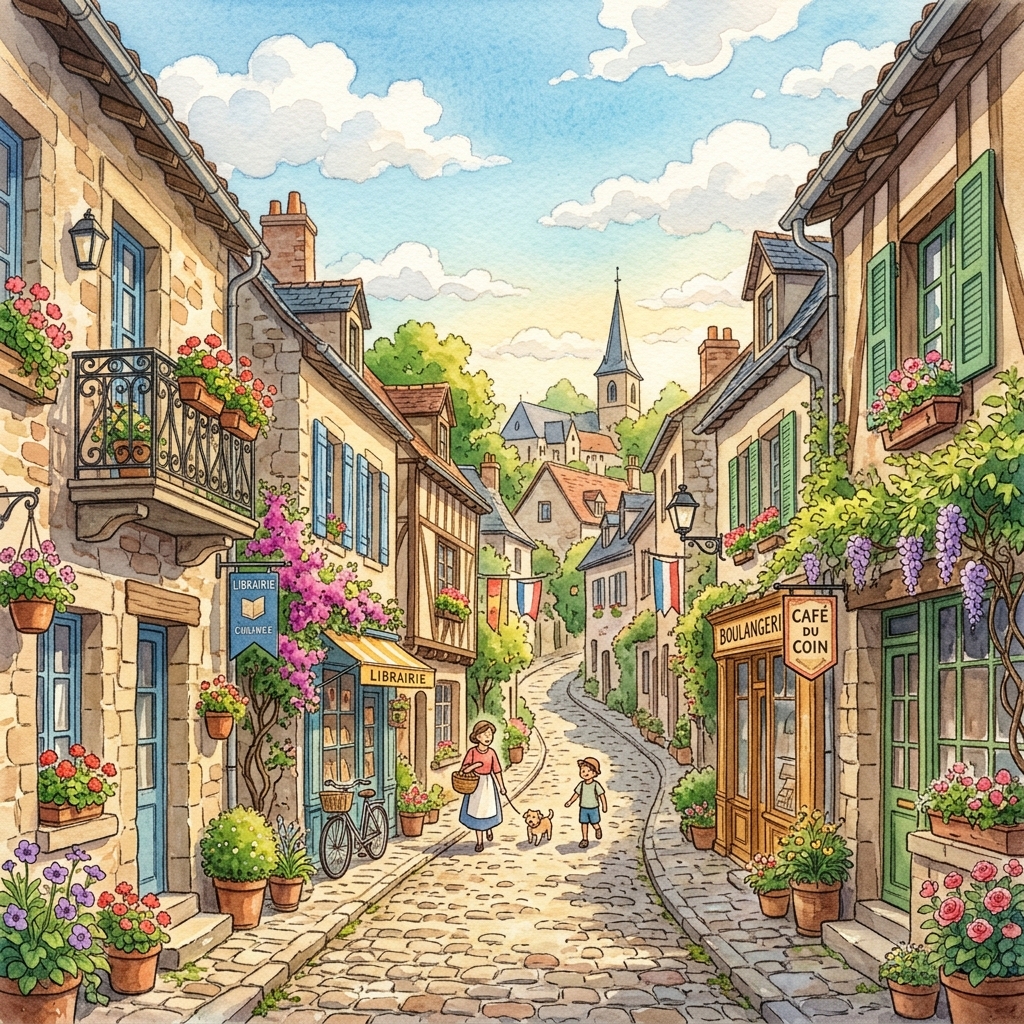
2. Shoot During Golden Hour or Soft Overcast Days
Avoid shooting under harsh midday sunlight. The direct sun creates dark, high-contrast shadows that can confuse AI stylization models. Instead, shoot during golden hour (early morning or late afternoon) to get the warm glow or on overcast days to capture soft, even lighting across the terrain.
3. Dedicate Space to the Sky
Leave the top 40% to 50% of your photo empty or filled with clean sky. The Ghibli style relies heavily on massive, theatrical clouds to build scale and nostalgia. Providing a clean canvas in the sky region gives the image generator space to insert signature watercolor cloud formations.
Data Privacy and Safety on Online AI Generators
When uploading your travel memories to online tools, user safety is paramount. Many free converters scrape your uploaded photos to train their neural networks, or sell image data to third-party advertisers.
To protect your privacy, follow these security rules:
- Check the Data Retention Policy: Secure editors like Photo Editor AI specify that uploaded images are processed via encrypted HTTPS tunnels and are automatically deleted from servers within a short period after rendering.
- Avoid Uploading Sensitive Identifiers: Ensure your travel photos do not contain license plates, home addresses, or clear pictures of financial documents.
- Review Login Requirements: Prefer tools that allow one-click guest generations or secure authentication methods like OAuth, rather than tools requiring sensitive details like phone numbers.
Frequently Asked Questions (FAQ)
How can I turn my photos into Ghibli style anime art?+
What are the signature visual elements of Studio Ghibli's style?+
Can I convert urban and city photos into Ghibli style?+
Is it safe to upload my personal photos to online AI style converters?+
Conclusion & Getting Started
Converting your travel photos into Studio Ghibli style anime art is a beautiful way to merge reality with the magic of animation. By understanding the signature elements of lush greenery and soft watercolor lighting, choosing clean source photos, and using safe online AI converters, you can bring the cozy, comforting aesthetic of classic hand-drawn films to your personal memories.
Start experimenting with your travel catalog today and turn your favorite journeys into painted anime masterpieces. Visit the Photo Editor AI Ghibli Filter to render your first scene.