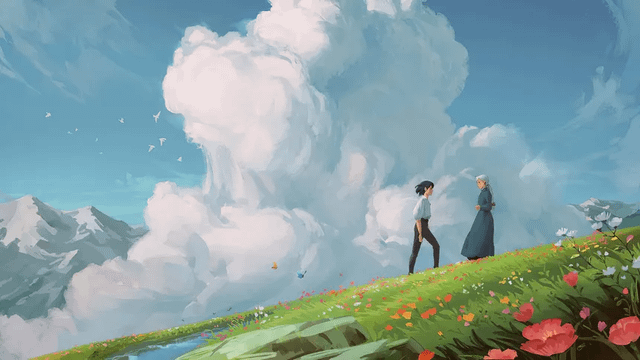
“Ghibli art AI” usually means an image generator or editor that produces visual traits people associate with Studio Ghibli films: hand-drawn 2D forms, painted environments, natural light, and expressive characters. It is an informal description, not a named technical standard or a guarantee that an output is an authentic Studio Ghibli work.
The basic workflow
1. An input describes the subject
You can begin with text, an uploaded photo, or both, depending on the tool. The text identifies the subject, setting, action, light, palette, and mood. An image gives the system visual information about composition and objects. OpenAI’s current image help documents both generating from instructions and editing an uploaded image; other products expose different controls.
2. The model predicts an image
Image generators learn statistical relationships from their training process. Given an instruction and, where supported, a reference image, the system predicts pixels or other image representations that fit the requested conditions. It does not retrieve a Studio Ghibli frame and apply a guaranteed filter. Similar prompts can produce different results, and small details may change.
3. Conditioning steers the result
Words such as “soft natural light,” “layered painted background,” or “quiet rural station” give the model more specific direction than “make it Ghibli.” An image reference can help preserve a pose or viewpoint, while an edit or mask can focus a correction. The available controls depend on the product and current version.
4. A person reviews and revises
Check identity, anatomy, text, unwanted objects, and whether the place still makes sense. Ask for one correction at a time and save versions. Human review matters because a plausible-looking image can still contain incorrect details.
Why the label is limited
The Ghibli Museum describes background art as the material that creates the world in which characters live and explains how hand work, paper, paint, water, light, and shadow contribute to that process. A generated image can imitate broad surface traits, but it does not recreate a film’s artists, direction, timing, sound, or production history.
For a visual definition, read what Ghibli art means. That article separates recurring observations from the simplified internet label.
A clearer prompt pattern
Describe: subject + place + viewpoint + light/weather + palette + texture + constraints. For example:
A child in a yellow raincoat waiting beside a rural bus stop, viewed from across a wet road, layered hand-painted background, soft overcast light, muted greens and warm window light, preserve the child’s pose, no text.
This pattern is useful even when you do not use the word “Ghibli.” It tells the tool what should be visible and what should remain stable.
Common limitations
Outputs may alter faces, hands, lettering, architecture, and small markings. A style label can also flatten differences among Studio Ghibli films and among anime more broadly. Review the source photo’s privacy and rights before uploading, and check the selected tool’s current terms before commercial use.
FAQ
Is Ghibli art AI a separate model?
Not necessarily. It is usually a descriptive term for a generator or workflow that aims at related visual traits.
Does AI copy a Ghibli frame?
The workflow described here is generation or editing from conditions. Do not present the result as an official frame or studio asset.
Can I control the exact output?
You can provide constraints and revise, but generation remains variable. The specific controls depend on the tool.